The Complete Guide to Website Maintenance Costs in 2026
What does it actually cost to maintain a website in 2026? We break down hosting, security, updates, and more—so you know what to budget.
Here’s the question I get more than almost any other: “What should I actually be paying to maintain my website?” And honestly? It varies. A lot. But let me walk you through what you’re likely dealing with—whether you’re doing it yourself or paying someone else to.
The Basics: What Actually Needs Maintaining?
A website isn’t a set-it-and-forget-it thing. Here’s the reality:
Hosting — Your site needs somewhere to live. Basic shared hosting runs you about $10-25/month. Managed hosting (faster, more secure) is more like $30-100+/month. For most small business sites, $15-50/month is a reasonable range.
Domain renewal — Typically $12-20/year. Set it to auto-renew or you’ll learn the hard way what happens when your domain expires. Hint: it’s stressful and sometimes expensive to get back.
SSL certificates — These keep your site secure. Most hosts throw these in free now (Let’s Encrypt), but some premium certs run $50-300/year. For most small sites, the free option is perfectly fine.
Software updates — WordPress core, plugins, themes—they all need updating regularly. Skip this and you’re opening yourself up to security problems. If you’re on WordPress, plan on monthly updates minimum.
Backups — You need off-site backups in case something goes sideways. A lot of hosts include basic backups, but a dedicated solution (like BlogVault or similar) runs $5-20/month for actual peace of mind.
Security — Basic security plugins (Wordfence, Sucuri) are free or cheap ($50-200/year). If you’re handling sensitive data or running e-commerce, you might need more robust protection.
DIY vs. Hiring Help
DIY approach:
- Cost: $10-30/month (hosting + domain + basic tools)
- Time: 2-5 hours/month for updates, monitoring, minor fixes
- Good if: You’re tech-savvy, have a simple site, and actually enjoy this kind of work
Hiring it out:
- Cost: $50-200+/month for ongoing maintenance
- Time: Zero for you
- Good if: You’d rather focus on your business, have a complex site, or just want things to work without thinking about them
Let me be honest—if you’re running a business, your time is probably worth more than the $50/month you’d pay someone to handle updates. But I also know some folks who genuinely enjoy tinkering with their sites, and that’s totally valid. Different strokes.
Real Talk on WordPress Costs
If you’re running WordPress (lots of small businesses are), here’s a realistic breakdown:
| Item | Monthly Cost |
|---|---|
| Hosting | $15–$50 |
| Domain | $1–$2 |
| Updates/Maintenance (DIY) | Time only |
| Updates/Maintenance (hired) | $50–$150 |
| Basic security | $0–$15 |
| Backups | $5–$20 |
Total DIY: Roughly $20-70/month
Total Managed: Roughly $70-250/month
Warning Signs You’re Neglecting Maintenance
A few red flags that your site might be due for some attention:
- Your site hasn’t been updated in 6+ months
- You don’t have recent backups (and no, backups you can’t restore don’t count)
- No one’s monitoring for downtime
- Your SSL certificate expired—browsers now warn visitors away from expired certs
If any of those hit close to home, it’s time to do something about it.
What I’d Recommend
For most small business sites, a middle-ground approach works best:
- Use managed WordPress hosting—it handles some security and updates automatically
- Set up automated backups
- Pay someone for a monthly maintenance plan if you’re not comfortable doing it yourself
- Check your site quarterly to make sure things are actually working
The cheapest option isn’t always the cheapest in the long run. A hacked site or extended downtime costs way more than a reasonable maintenance budget. Trust me—I’ve cleaned up enough messes to know.
Need help figuring out what your site needs? I’ve got experience maintaining all sorts of sites—let’s talk about your situation. And if you’re currently on WordPress, check out my guide on 10 Tips for Optimizing Your WordPress Website for some quick wins.
Also worth reading: WordPress Trends 2026 to stay current on what’s changing in the space. Related: Why Your Website Needs AI in 2026.
Related Reading
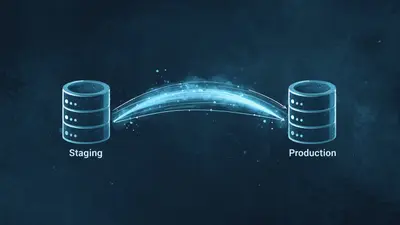
How to Push WordPress Changes From Staging to Production Safely
Push WordPress changes from staging to production safely with a workflow that protects live data, rewrites URLs correctly, and preserves media without downtime.

EZ Page Sync: WordPress Staging-to-Production Sync Plugin
See how EZ Page Sync pushes a single WordPress page from staging to production with HMAC-signed HTTPS, snapshots, rollback, and cache purging.

10 Tips for Optimizing Your WordPress Website
Speed up your WordPress site, improve SEO rankings, and provide a better user experience with these proven optimization techniques.
Need Help With Your Website?
Professional Web Development Services in Houston
Whether you need WordPress development, custom React applications, or eCommerce solutions, we build websites that convert. Free consultation, no pressure.